

Twenty-two parts in. If you've followed this series from the beginning, you've stood up tunnels, configured Zero Trust policies, locked down DNS, and built a Cloudflare infrastructure that most developers spend years piecing together from scattered documentation and Stack Overflow threads. Part 21 pushed deep into Cloudflare Tunnel advanced configurations, covering split tunneling, private network routing, and the operational patterns that separate a working tunnel from a production-grade one. That was the architecture layer.
This part is about money. Specifically, about when you should spend it.
Cloudflare's free plan is one of the most disorienting things in infrastructure. It's too good. It makes you suspicious. And then at some point, something you need isn't there, and you're staring at a pricing page trying to figure out whether your use case justifies the jump. This article is the decision framework you need for that moment.
Introduction: The Free Tier Trap. Generous or a Gateway Drug?
Cloudflare's free plan doesn't look like other free plans. Most CDN and security vendors treat their free tier as a demo. A taste. Something intentionally hobbled to push you toward a credit card conversation. Cloudflare does something different. It gives you unlimited bandwidth, global CDN distribution, automatic HTTPS, real DDoS mitigation, and a DNS platform that outperforms most paid alternatives. For a huge portion of projects, that's genuinely everything needed.

But the tension is real. Free is great until your site gets targeted by a credential stuffing campaign and you're missing the managed WAF ruleset. Free is great until your team hits 51 users in Cloudflare Access and per-seat pricing appears. Free is great until a production incident at 2am reminds you that community forum support isn't the same as a support ticket with a response time commitment.
This article is for developers running personal projects and small SaaS apps, small businesses evaluating whether to stay free or move to Pro, growing teams bumping into Zero Trust user limits, and enterprise teams doing a formal evaluation of what Cloudflare plans actually include before signing a contract. The goal is a clear-eyed decision framework, not a sales pitch in either direction.
What Cloudflare Free Actually Gives You
Start with what's actually on the table. Because dismissing the free plan as a stripped-down entry point would be wrong. It's not stripped down. It's a full infrastructure product with specific, deliberate ceilings.
Core CDN and Caching Capabilities
Cloudflare's free CDN includes unlimited bandwidth. That's not a typo and it's not a trial period. Other CDN providers charge per gigabyte transferred. Cloudflare charges nothing, on any plan, for bandwidth through their network. For a media-heavy site or a project with unpredictable traffic spikes, this alone is significant.
The global Anycast network is available on free. Your traffic routes to one of Cloudflare's 300-plus data centers worldwide without any additional configuration. Static assets cache at the edge automatically. Cache behavior follows standard HTTP cache headers, and while you can't override TTLs with custom cache rules on free, the default caching behavior handles most static workloads well.
Cloudflare Pages and Cloudflare Workers have free tier limits worth knowing. Workers free includes 100,000 requests per day. Pages is free for unlimited sites with 500 builds per month. These are real limits, not theoretical ones, and fast-growing projects hit them.
DNS and Domain Management
The DNS platform is one of the strongest arguments for using Cloudflare regardless of plan. Anycast DNS with propagation times typically under a second. Both DNS-only and proxied record modes at no cost. DNSSEC support. DNS import and export. The free DNS platform is genuinely better than what most domain registrars offer as a paid add-on.
Basic DDoS Protection
Every Cloudflare plan, including free, includes automatic DDoS mitigation. Volumetric attacks get absorbed at the network layer. This isn't a limited version of DDoS protection. It's the same network-layer mitigation that Enterprise customers get. The difference shows up in the application layer, where paid WAF features come into play.
Free SSL/TLS and Universal Certificates
Universal SSL certificates provision automatically for every domain on Cloudflare, including free. HTTPS is enabled by default. HSTS can be configured. The edge certificate covers the root domain and one level of subdomains. For most sites, this is sufficient and it requires zero configuration.

Free Analytics: Useful but Shallow
The free analytics dashboard shows request volume, cached vs uncached ratios, threat counts, and bandwidth. Data retention on free is limited to 24 hours for most metrics. If you need to investigate an incident from three days ago, that data is gone. Paid plans extend retention significantly, which matters the moment you're doing any kind of post-incident review.
Where the Free Plan Hits Its Ceiling
The free plan's limits aren't random. They're placed exactly where power users need more. That's not cynical. It's just how product tiers work. Understanding where those ceilings are helps you predict when you'll hit them.
Rate Limiting and Firewall Rule Limits
Free plans include 5 custom firewall rules. That sounds like a lot until you're blocking a specific ASN, rate limiting a login endpoint, challenging traffic from specific countries, blocking bad user agents, and trying to do something about a scraper campaign simultaneously. Five rules runs out fast on any site with real traffic patterns.
Rate limiting is a paid feature. On free, you can block IPs with firewall rules, but true rate limiting with request thresholds per time window is not available. For APIs, login pages, or any endpoint that attracts automated traffic, this absence is felt quickly.
Cache Control Restrictions
Free plans follow HTTP cache headers but don't allow custom cache rules or cache TTL overrides. If your origin is sending short cache headers and you want Cloudflare to cache longer without modifying your application, that requires a paid Cache Rules configuration. The old Page Rules system allowed some cache behavior overrides, with free plans limited to 3 Page Rules total. Cloudflare is migrating away from Page Rules toward the newer Rulesets system, but the free tier limits carry over in spirit. Image optimization features including Polish (automatic image compression) and Mirage (adaptive image loading for mobile) are not available on free.
Analytics Depth and Retention
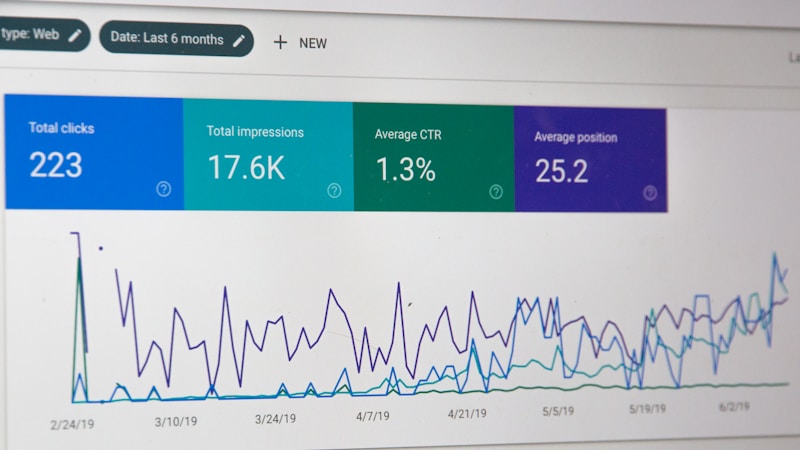
The analytics gap between free and paid is one of the less-discussed but practically significant differences. Free analytics retain data for 24 to 48 hours depending on the metric. Paid plans extend that to 30 days or more. If you're investigating a traffic anomaly, a slow content delivery window, or a spike in threats, and you need to look back more than two days, the free tier simply doesn't have the data.
Custom error pages are not available on free. When Cloudflare blocks a request or encounters an error, the default Cloudflare error page appears. For branded products or customer-facing applications, that's a visible gap in the user experience.
Support Tier Limitations
Free and Pro plans rely on community forums and standard ticket support. There's no response time commitment. There's no SLA. If something breaks on a Friday evening, you're working from documentation and community threads until someone gets back to you.
This isn't a criticism of Cloudflare's community. The forums are genuinely active and the documentation is excellent. But community support is not the same as a support team with accountability. For any application where downtime has a direct revenue or reputational cost, the support tier gap is a real operational risk.
The WAF Upgrade: When Basic Firewall Rules Are No Longer Enough
The Web Application Firewall is where the paid upgrade argument gets concrete fastest. Custom firewall rules on free let you write logic based on IP, country, user agent, and request path. That's useful. It's not a WAF.
What the Managed WAF Ruleset Includes
Pro plans and above unlock Cloudflare's managed WAF rulesets. These are maintained rule collections that Cloudflare updates continuously as new vulnerabilities and attack patterns emerge. You don't write these rules. You enable them, tune their sensitivity, and Cloudflare's security team keeps them current. For most teams, this is the correct division of labor. Writing and maintaining custom rules for every known attack pattern is a full-time job.
The managed ruleset covers categories including cross-site scripting (XSS), SQL injection, remote code execution (RCE), path traversal, and protocol anomalies. Each category contains dozens of individual signatures. The free custom rule system can approximate some of this, but it can't replicate the breadth or the update cadence.

OWASP Core Ruleset Access
The OWASP Core Ruleset is the industry standard for web application attack detection. It's available on Pro and higher through Cloudflare's managed ruleset offerings. Enabling it with Cloudflare's paranoia level controls lets you tune between broad detection and low false positive rates. This is the ruleset security auditors ask about. Having it active and logged is a meaningful compliance and risk posture statement.
Custom WAF Rules vs Free Firewall Rules
The distinction matters. Free custom firewall rules let you write conditional logic: block this IP, challenge this country, skip cache for this path. Paid custom WAF rules operate at the same layer but with access to WAF-specific fields, managed ruleset overrides, and skip rules that let you bypass managed rules for trusted traffic. They're the same interface with a significantly expanded capability surface.
Rate Limiting Is a Paid Feature
Rate limiting with configurable thresholds is not available on the free plan. For any endpoint that processes logins, API keys, or form submissions, the absence of rate limiting means automated tools can hammer those endpoints without Cloudflare intervening. This is the gap that gets exploited first.
Real-World Attack Scenarios That Require Paid WAF
Consider an e-commerce site running on the free plan. Traffic is normal for months. Then a credential stuffing campaign starts. Automated tools cycle through username and password combinations sourced from breach databases, sending thousands of login attempts per hour from rotating IPs across dozens of countries. Free firewall rules can block specific IPs, but the IPs rotate faster than manual rules can keep up. Rate limiting isn't available. The managed WAF ruleset that detects credential stuffing patterns isn't available.
"The question isn't whether your site will be targeted. It's whether you have the tooling to detect and respond when it happens."
The Exposed Credentials Check feature, available on higher tiers, actively detects when submitted credentials match known breach datasets. WAF analytics and detailed logging that make post-incident review actionable are also paid features. On free, you can see that threats were blocked. On paid, you can see what was blocked, why, and what the attack pattern looked like over time.
Zero Trust at Scale: When the Free Access Tier Runs Out
Cloudflare Access is free for up to 50 users. That's a real, usable limit for small teams. It's also a limit that growing organizations hit faster than expected, usually right when Zero Trust becomes genuinely important to their security posture.
Cloudflare Access Free Tier Limits
The free tier of Cloudflare Zero Trust (previously called Teams Free) includes Access application protection for up to 50 seats, basic Gateway DNS filtering, and the WARP client for device connectivity. For a small team protecting internal tools, this is functional. The identity provider integrations on free cover standard OAuth flows with Google, GitHub, and similar providers.

When 50 Users Is Not Enough
Once a team crosses 50 users, per-seat pricing applies. The cost isn't extreme, but it's no longer free, and it scales linearly with headcount. For organizations evaluating Cloudflare Access as a VPN replacement or an internal application gateway, the seat count math needs to happen before the rollout, not after.
Advanced Identity Provider Integrations
Free tier IdP integrations are functional but limited. Okta, Azure Active Directory with SCIM provisioning, Ping Identity, and other enterprise identity platforms require paid Zero Trust plans. SCIM provisioning specifically, which automates user lifecycle management so that deprovisioning in your IdP automatically revokes Cloudflare Access, is a paid capability. For any organization where manual user management is a compliance risk, this matters.
Browser isolation, which runs web browsing sessions in a remote Cloudflare environment to protect devices from web-borne threats, is an add-on available only on paid plans. It's one of the more compelling security capabilities in the Zero Trust portfolio and it doesn't appear at any free tier.
Device Posture and WARP Client Requirements
Device posture checks let you enforce that only devices meeting specific criteria, such as running a current OS version, having disk encryption enabled, or having a specific security tool installed, can access protected applications. This is a paid capability. On free, you can require authentication. On paid, you can require authentication plus a verified device state.
WARP client enforcement as a policy condition, meaning you can require that users connect through the WARP client to access certain applications, is a paid feature. Gateway DNS filtering on free provides basic category blocking. Paid plans add custom block pages, detailed query logs with retention, and policy conditions based on identity and device posture rather than just network location.
CASB and SaaS security posture management, which let you audit connected SaaS applications for misconfiguration and data exposure, are paid features with no free tier equivalent.
Business Support, SLAs, and Uptime Guarantees
The support tier conversation is the one that gets skipped until it's too late. Nobody thinks about SLAs when everything is working.
Free and Pro Support Channels
Free and Pro plans include access to Cloudflare's community forums and the ability to submit support tickets. What they don't include is a response time commitment. Cloudflare's documentation is genuinely excellent, and the community forums have a high signal-to-noise ratio. But documentation and forums don't help when your site is down and you need someone with infrastructure access to investigate.
No SLA Means No Accountability
On free and Pro plans, there is no contractual obligation for Cloudflare to respond to your support request within any specific window. That's not a complaint. It's a known condition of those tiers. If your application has revenue or reputational exposure during downtime, that condition is a business risk that needs to be priced into your plan decision.
Business Plan SLA: What 100% Uptime Really Means
The Business plan includes a 100% uptime SLA with financial credits for downtime. It also includes 24/7 chat support, which is a meaningful operational difference from ticket-only support. Chat support means a real-time conversation with someone who can look at your configuration, not a ticket
Compliance Needs That Require Paid Plans
Compliance isn't a feature tier. It's a legal obligation, and Cloudflare's plan structure reflects that distinction clearly. Free and Pro plans give you meaningful security tooling, but they don't give you the documentation, contractual agreements, or audit infrastructure that regulated industries require. If your application touches protected health information, payment card data, or personal data with cross-border residency requirements, the plan tier question stops being about features and starts being about liability.
HIPAA and BAA Availability
A Business Associate Agreement (BAA) is a contractual requirement under HIPAA, not a checkbox. Any covered entity or business associate that routes protected health information through Cloudflare's infrastructure needs a signed BAA before that traffic touches Cloudflare's network in any meaningful way. Cloudflare only signs BAAs with Enterprise customers. That's not a gap in the documentation. That's a deliberate boundary.
HIPAA Boundary
If your application handles PHI and you're on a Free, Pro, or Business plan, you do not have a signed BAA with Cloudflare. That's a compliance exposure, not a configuration problem. Enterprise is the entry point for HIPAA-covered deployments.
There's no workaround here. No amount of WAF tuning on a Business plan substitutes for a missing BAA.
PCI DSS Compliance Support
PCI DSS compliance requires demonstrable controls around cardholder data environments. Cloudflare's managed WAF rules on Business and Enterprise plans include rulesets specifically structured to support PCI DSS requirements, including protections against injection attacks, cross-site scripting, and the OWASP Top 10 categories that PCI auditors scrutinize. The WAF alone doesn't make you PCI compliant, but it contributes meaningfully to the technical controls your QSA will review.
Business plans include the PCI-relevant WAF configuration. Free and Pro plans don't give you the managed ruleset depth to satisfy an audit without significant supplemental controls elsewhere.
Data Localization and Regional Services
The Data Localization Suite is an Enterprise add-on. It lets you restrict where Cloudflare inspects and processes your traffic, which matters significantly for GDPR compliance and data residency obligations under frameworks like the EU's Schrems II requirements. Without it, Cloudflare's global Anycast network routes traffic through whatever data center is closest, regardless of regional restrictions your legal team may have committed to.
Regional Services and Customer Metadata Boundary controls are both part of this add-on. Neither is available below Enterprise.
Audit Logs and Log Retention
Free plan users get 24 to 48 hours of analytics data. That's useful for monitoring. It's not useful for incident response or compliance review.
Audit logs showing account-level activity, configuration changes, and administrative actions are available on Business and Enterprise plans. Logpush, which exports logs in real time to external SIEMs like Splunk, Elastic, or Datadog, is a paid feature starting at Business. Extended log retention and structured log exports are the backbone of any compliance audit trail, and they don't exist on free.
SOC 2 and ISO 27001 in Enterprise Procurement
Cloudflare holds SOC 2 Type II and ISO 27001 certifications. Enterprise customers can request audit reports and compliance documentation as part of vendor due diligence. Free and Pro users have no formal compliance documentation pathway, no dedicated support contact, and no contractual SLA to reference in a security questionnaire.
Pro vs Business vs Enterprise: A Plain-English Breakdown
The pricing page shows numbers. It doesn't tell you which tier actually fits your situation. That gap between "here are the features" and "here's who should buy this" is where most people stall. So here's the plain version.
Cloudflare Pro: The Developer Sweet Spot
Cloudflare Pro costs $20 per month per domain. For that, you get managed WAF rules (the core Cloudflare ruleset and OWASP ruleset), 20 firewall rules instead of 5, image optimization through Polish and Mirage, faster support response times, and mobile redirect capabilities. It's not a dramatic leap from free in terms of architecture, but it's a meaningful leap in practical usability.
Pro is the right tier for freelancers managing client sites, small agencies running WordPress or static sites at scale, and early-stage SaaS products that need WAF coverage without committing to enterprise-level spend. If you've hit the 5-rule ceiling on free and you're not running a revenue-generating product yet, Pro solves the immediate problem cleanly.
Cloudflare Business: For Revenue-Generating Properties
Cloudflare Business costs $200 per month per domain. The jump in price reflects a jump in what's actually at stake. Business adds a 99.9% uptime SLA, custom WAF rules beyond the managed rulesets, advanced bot management capabilities, PCI compliance tooling, custom SSL certificate upload support, and prioritized support with a 2-hour response time for critical issues.

Business is built for e-commerce properties, fintech applications, media sites with real advertising revenue, and any product where a two-hour outage has a measurable dollar cost. If your monthly revenue exceeds a few thousand dollars, the SLA alone justifies the plan cost. The bot management and custom WAF capabilities are the operational layer on top.
Cloudflare Enterprise: When Everything Is on the Line
Enterprise pricing is custom and negotiated. What you're buying is different in kind, not just in degree. Enterprise includes the Data Localization Suite, a dedicated customer success engineer, advanced Zero Trust capabilities beyond the 50-seat free limit, custom rate limiting, Magic Transit eligibility, network-level DDoS mitigation at scale, and the BAA and compliance documentation discussed earlier.
Enterprise is the tier for regulated industries, global infrastructure teams, financial institutions, healthcare networks, and any organization where Cloudflare is a critical infrastructure dependency rather than a convenience layer. The pricing reflects that weight.
| Feature | Free | Pro | Business | Enterprise |
|---|---|---|---|---|
| Firewall Rules | 5 | 20 | 100 | Custom |
| Managed WAF | No | Yes | Yes | Yes |
| Custom WAF Rules | No | No | Yes | Yes |
| Uptime SLA | No | No | 99.9% | Custom |
| Bot Management | Basic | Basic | Advanced | Advanced |
| Logpush / SIEM | No | No | Yes | Yes |
| BAA (HIPAA) | No | No | No | Yes |
| Data Localization | No | No | No | Add-on |
| Zero Trust Seats | 50 free | 50 free | Paid | Custom |
| Support | Community | 2-hour | Dedicated |
Signals That Tell You It's Time to Upgrade
No one upgrades at exactly the right moment. Most people either upgrade too late, after something breaks, or never upgrade at all and quietly absorb limitations they've stopped noticing. Neither is a good outcome. The signals below are concrete. If you're seeing more than two of them at once, the upgrade conversation is overdue.
Traffic and Attack Volume Signals
You've used all 5 of your free firewall rules and you're writing workarounds to squeeze logic into a single rule expression. That's a signal. You're seeing bot traffic that your analytics show clearly but that your current rules can't fingerprint accurately enough to block without also catching legitimate users. That's a signal. Your WAF is logging threats it can't act on because the managed rulesets aren't available at your tier.
If your traffic has grown to the point where you're spending meaningful time every week manually reviewing firewall logs and writing compensating rules, you're past the point where free is saving you money. You're at the point where it's costing you time.
Team and Identity Signals
Your Zero Trust user count is approaching or has exceeded 50 seats. You've added contractors, part-time staff, or external collaborators and the free tier is no longer covering your actual team size. You need device posture checks as part of your access policies and the free tier doesn't support them. Your security team has asked for log exports to a SIEM and you've had to tell them that's not available at your current plan.
The 50-Seat Threshold
Cloudflare's Zero Trust free tier covers up to 50 users. That number sounds comfortable until you start counting contractors, vendors, and shared service accounts. Audit your actual seat count before assuming you have room to grow.
Business and Compliance Signals
Your site generates revenue and a two-hour outage would cost more than a full year of the Business plan at $2,400 annually. You've been asked to sign a data processing agreement or BAA by a client or regulator. A security audit or penetration test has flagged WAF gaps that your current rule count can't address. Your industry has changed, your data handling has expanded, or a new product line has pulled you into a regulated category you weren't in before.
Any one of these is worth a serious look at the next tier. Two or more together means the upgrade should happen before the next incident, not after it.
Making the Case Internally: How to Justify the Upgrade
Technical people often know the upgrade is necessary months before anyone with budget authority hears about it. The gap isn't technical understanding. It's translation. Here's how to close it.
Framing Cost as Risk Reduction
The wrong framing is "we need more features." The right framing is "we need to reduce a specific, quantifiable risk." A Business plan at $2,400 per year is not a feature purchase. It's insurance against a class of incidents that currently has no mitigation.
"The question isn't whether $2,400 per year is expensive. The question is whether one hour of downtime during peak traffic costs more than that. For most revenue-generating properties, it does."
Start with your own incident history. If you've had a DDoS event, a bot wave that ate your bandwidth, or a WAF gap that allowed malicious traffic, those are real numbers. Calculate the actual cost in engineering time, lost revenue, or customer churn. Then put that next to the annual plan cost.
Building a Simple ROI Argument
Non-technical stakeholders respond to three things: cost of inaction, probability of the bad outcome, and simplicity of the proposed solution. Cloudflare's own Radar threat intelligence platform publishes real-time data on attack trends, DDoS volumes, and bot traffic patterns by industry. That's a credible third-party source you can cite in a proposal without building the analysis yourself.
Cloudflare also publishes annual security reports that document attack frequency and mitigation outcomes. Use those as supporting evidence. Pair them with your own traffic data from the Cloudflare dashboard and you have a defensible case that doesn't rely on vendor marketing copy.
Start with a Pro trial if Enterprise or Business feels like too large a jump. Demonstrate the WAF value, show the firewall rule reduction, and document the outcome. That evidence makes the Business or Enterprise conversation substantially easier the second time around.
Your Upgrade Decision Checklist
Before making any plan change, work through this list against your actual configuration. Not the configuration you think you have. The one you can verify in the dashboard right now.
Work through this list once a year, minimum. Your traffic profile, team size, and compliance obligations change. Your plan tier should track those changes, not lag behind them by two years.
Conclusion: Free Is a Feature, Not a Compromise. Until It Is
Cloudflare's free plan is genuinely one of the best infrastructure offerings available to anyone running a website or application. That's not a softened opinion. It's accurate. The free tier includes DDoS mitigation, basic WAF access, SSL, and a global CDN that most organizations couldn't afford to build independently. For personal projects, early-stage products, and low-stakes deployments, free isn't a compromise. It's the right choice.
The upgrade triggers are specific: you've exhausted your firewall rules, your Zero Trust deployment has scaled past 50 users, your industry requires compliance documentation Cloudflare only provides at Enterprise, you need an SLA for a production environment, or your site generates enough revenue that an outage costs more than the annual plan. When two or more of those are true simultaneously, the upgrade decision has already been made. You're just formalizing it.
Revisit your plan tier annually. Traffic grows, teams expand, and regulatory landscapes shift. What was the right tier last year may be the wrong one now.
Part 23 closes the series. It covers Cloudflare's current roadmap, where the platform is headed, and how to think about building on Cloudflare infrastructure for the long term. Twenty-two parts of configuration, security, and architecture have built the foundation. Part 23 is about what you do with it from here.


