

The notification hit my phone at 2:47 AM: "You've sent $4,800 to..." I hadn't sent anything. Someone was inside my PayPal, inside my network, moving fast. I killed every connection in my house—router, modem, everything offline. The transfer was flagged and reversed. I got lucky.
What followed was one of the most unproductive weeks I've ever had. I tore down my entire network, reinstalled operating systems on every piece of hardware, and swept through every account I owned. I have the security logs to prove it. But proof doesn't prevent it from happening again. That was the last time I trusted SMS for two-factor authentication.
That was about a year ago. And looking back, I don't think they were just after my PayPal. Given the projects I was involved with at the time, I suspect they were fishing for something more valuable: intellectual property. Code. Research. Access to systems worth far more than a few thousand dollars. Your bank account might hold your savings, but your work devices hold ideas—and ideas can be worth a fortune to the right buyer.
You've probably noticed it yourself—Google, Apple, Microsoft, and dozens of other services have started asking if you want to set up a passkey or use a security key. That's not a gimmick. That's the industry acknowledging what security professionals have known for years: hardware authentication is the gold standard. When big tech starts nudging you toward something, it's usually because they're tired of dealing with the fallout when you get hacked. This time, they're right. Say yes.
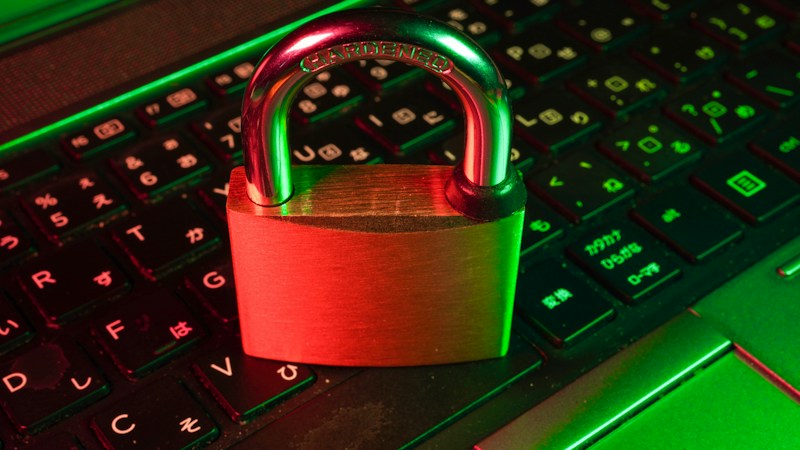
What Is a Hardware Security Key?
A hardware security key is a physical device that generates cryptographic authentication codes. When you plug it in or tap it against your phone, it proves you're you in a way that can't be faked, intercepted, or phished. It's the most secure form of two-factor authentication available to regular people.
The technology behind it is called FIDO2 (Fast Identity Online). When you register a security key with a service, the key generates a unique cryptographic key pair just for that service. The public key goes to the service, the private key never leaves the device. When you log in, the service sends a challenge, your key signs it with your private key, and that signature proves you have the physical key. No codes to type. No push notifications to approve. Just tap and go.
Why Hardware Beats Software
Authenticator apps like Google Authenticator or Authy are solid. They're vastly better than SMS. But they have weaknesses. Your phone can be compromised by malware. Your authenticator backup codes can be stolen. Sophisticated attackers have developed real-time phishing attacks that relay your one-time codes before they expire. A study by Google found that security keys blocked 100% of automated bot attacks, 100% of bulk phishing attacks, and 100% of targeted attacks. No other authentication method came close.
"After requiring security keys for all 85,000+ employees, Google reported zero successful account takeovers on work-related accounts. Zero. That's what physical authentication can do."
Which Key Should You Buy?
The market leader is Yubico, and for good reason. Their YubiKey line is robust, widely supported, and comes in several form factors. Here's how to choose:
YubiKey 5 Series
This is what I recommend for most people. The YubiKey 5 NFC is the sweet spot: it has USB-A, supports NFC for mobile devices, and handles all the protocols you'll encounter. At about $50, it's an investment that protects potentially everything you own. If your computer only has USB-C ports, get the YubiKey 5C NFC instead.
Where to Buy
YubiKey 5 NFC (USB-A) — Yubico.com | Amazon
YubiKey 5C NFC (USB-C) — Yubico.com | Amazon
I recommend buying directly from Yubico to ensure authenticity. Amazon links provided for convenience.
Buy at Least Two
This is critical. Security keys don't have backups. If you lose your only key, you lose access. Buy two keys, register both with every service, keep one on your keychain and one in a safe place at home. Some people keep a third in a safety deposit box. Think of it like having a spare house key.
My Setup
I carry a YubiKey 5 NFC on my keychain. I have a backup YubiKey 5C NFC in my home safe. Both are registered with every service that matters. Total investment: about $100. Peace of mind: priceless.
Setting Up Your Security Key on Mac
Apple has made hardware key setup straightforward on macOS. Here's how to get started:
For Your Apple Account
Apple added security key support in iOS 16.3 and macOS 13.2. Go to System Settings, click your Apple ID at the top, select Sign-In & Security, and find Security Keys. Click Add and follow the prompts. You'll need to insert your key and tap it when prompted. Apple requires you to register at least two keys, which is smart design.
Once set up, any sign-in to your Apple account on a new device will require one of your physical keys. No more six-digit codes. No more "trust this device" popups that attackers can exploit.
For Mac Login
You can also use your YubiKey to log into your Mac itself. This requires setting up smart card authentication or using YubiKey's PIV (Personal Identity Verification) functionality. Yubico provides a tool called YubiKey Manager that helps configure this. The process involves generating a certificate on the key and configuring macOS to accept it for login.

Setting Up Your Security Key on Windows
Windows has excellent support for security keys, but there's an important caveat you need to know before you buy.
Windows Pro vs. Windows Home
If you want to use your security key to sign into Windows itself, not just websites, you'll need Windows 10 Pro or Windows 11 Pro. The Home editions support security keys for website authentication through your browser, but the full Windows Hello integration that lets you use the key for Windows login requires Pro or Enterprise editions. This is because the underlying technology relies on Azure AD and domain join features that Microsoft reserves for business editions.
If you're running Windows Home and want this functionality, you can upgrade for about $100. Or you can continue using your security key for web services while using a strong password and Windows Hello PIN for Windows login. Not ideal, but still a massive improvement over SMS codes.
For Microsoft Account
Go to account.microsoft.com and sign in. Navigate to Security, then Advanced security options, find the section for Ways to prove who you are, and select Add a new way to sign in. Choose Security key, then pick USB device or NFC device based on your key type. Insert the key, create a PIN for the key when prompted, and tap it to complete registration.
For corporate Microsoft 365 accounts, the process depends on your organization's Azure AD configuration. Your IT department may need to enable security key authentication. If you're the IT department, you'll want to review Microsoft's documentation on FIDO2 security key policy settings in Azure AD.
Services That Support Hardware Keys
The beauty of hardware security keys is how universal they've become. Here's a handful of the services I've secured with mine—but this barely scratches the surface:

Google was one of the first major companies to support hardware keys. In your Google account security settings, look for 2-Step Verification and add a Security Key. Google even offers an Advanced Protection Program for high-risk users (journalists, activists, executives) that requires security keys and provides additional protections.
GitHub
For developers, GitHub is often the keys to the kingdom. Your code, your credentials, your deployment pipelines. Go to Settings, Password and authentication, and add a security key under Two-factor methods. GitHub supports using your security key as your primary authentication method, not just a second factor.
Cloudflare
If you manage websites through Cloudflare, securing that account is critical. Attackers who compromise your Cloudflare account can redirect your traffic anywhere. In your Cloudflare dashboard, go to My Profile, Authentication, and add a hardware security key.
Stripe
Your payment processing dashboard is one of the most sensitive accounts you have. Stripe supports hardware keys in your account settings under the Security section. Given that Stripe handles money, this should be one of the first services you secure.
Slack
Business communications contain sensitive information. Slack supports security keys in Workspace settings under Authentication. If you're a workspace admin, you can require security keys for all members.
Vercel
If you deploy web applications through Vercel, protecting that account protects your production infrastructure. Vercel supports hardware keys in your account security settings.
The Full List Keeps Growing
Beyond the services above, hardware keys are supported by: Amazon AWS, Microsoft Azure, Dropbox, Facebook, Instagram, Twitter/X, LinkedIn, Coinbase, Kraken, Binance, Bitwarden, 1Password, LastPass, Dashlane, Okta, Duo Security, DocuSign, Salesforce, Atlassian (Jira, Confluence), GitLab, Bitbucket, DigitalOcean, Heroku, Netlify, Fastmail, ProtonMail, Tutanota, Reddit, Discord, Twitch, Nintendo, PlayStation Network, Epic Games, EA, and hundreds more.
Check Yubico's compatibility catalog for the complete list—it's genuinely impressive.
The Priority Order
Start with these in order: your primary email (controls password resets for everything), your password manager, your financial accounts, your cloud services. Work outward from there. Every service you add makes your digital life harder to compromise.
Mobile Devices: Phones and Tablets
Your phone is often the master key to your digital life. Securing it with hardware authentication is possible, though the experience varies by platform.
iPhone and iPad
With your Apple Account secured by security keys (as described above), your iOS devices inherit that protection. You can also use NFC-enabled YubiKeys by holding them against the top of your iPhone when prompted during authentication. This works for websites in Safari and apps that support WebAuthn.
Android
Android has robust security key support. Many Android devices can use USB-C keys directly. NFC keys work by tapping them against the back of your phone. Google's own Pixel phones work seamlessly with YubiKeys for both Google account protection and third-party service authentication.
The Pros and Cons
Let me be honest about both the benefits and the trade-offs of switching to hardware security keys.
The Advantages
Phishing immunity: The key only responds to the legitimate service. Fake login pages don't work because they can't generate the right cryptographic challenge. This alone makes hardware keys worth it.
No network dependency: Unlike SMS codes or push notifications, your key works offline. No cell signal? No problem. Service outage at your authenticator app? Doesn't affect you.
Speed: Tap and go. No typing six-digit codes. No waiting for texts. Authentication takes about one second.
Account recovery: Many services let you use your security key to recover accounts, bypassing potentially compromised email or phone numbers.
The Challenges
Physical dependency: You need the key with you. Forget it at home and you may be locked out. This is why I keep one on my keychain.
Loss risk: Lose all your keys without backup codes and you may face difficult account recovery processes. Some services require identity verification that takes days.
Initial setup time: Adding keys to all your services takes a few hours up front. It's a one-time investment, but it's real work.
Cost: Good security keys cost $50 to $70 each. Buying two means $100 to $140 up front. For most people, this is a small price for significant protection, but it's not free.
Compatibility gaps: Not every service supports hardware keys yet. Banks are particularly slow to adopt them, ironically given what they protect. You may still need fallback authentication methods for some accounts.
"The inconvenience of carrying a security key is nothing compared to the inconvenience of having your identity stolen. I've seen the aftermath. It takes months to recover, if you ever fully do."
Making It Your Universal Identity
Here's where hardware security keys become truly powerful: they can become your single, unified digital identity across everything you do.
Your YubiKey isn't just a second factor. Modern implementations let you use it as your primary authentication. Services like GitHub now support passwordless login with security keys. Microsoft is pushing passkeys, which are essentially security key technology built into devices but can also live on dedicated hardware keys. Apple's iCloud Keychain can sync passkeys, but a hardware key gives you something that exists outside any single ecosystem.
I've set up my security key so that it's registered everywhere that matters: my personal Apple ecosystem, my work Microsoft account, my development tools (GitHub, Vercel, Cloudflare), my financial services (Stripe, my banks that support it), my communications (Slack, email). One physical token, total control.

Getting Started Today
Ready to upgrade your security? Here's your action plan:
Step 1: Buy two YubiKey 5 NFC keys (or 5C NFC if you need USB-C). Budget about $100 total.
Step 2: Start with your primary email account. This is the master key that controls password resets for everything else.
Step 3: Add your password manager next. If you use 1Password, LastPass, Bitwarden, or Dashlane, they all support hardware keys.
Step 4: Work through your critical accounts: financial services, cloud platforms, developer tools, communication services.
Step 5: Register both keys with every service. Keep one with you, store one safely as backup.
Step 6: Save any backup codes services provide. Store them offline, ideally printed or in a secure location separate from your keys.
Need Help With Your Setup?
If you're in the Mobile, Alabama area, I offer technology consulting through Greek-Fire Services. I can walk you through the complete setup process and help secure your digital life.
The Bottom Line
Hardware security keys represent the current gold standard for protecting your digital identity. They're not perfect. They require a small upfront investment and some adjustment to your workflow. But they provide something nothing else can: physical, verifiable proof that you, and only you, are accessing your accounts.
In a world where data breaches are weekly news, where SIM swapping attacks are increasingly common, and where our entire financial and professional lives exist in the cloud, a $50 piece of hardware that fits on your keychain is remarkably good insurance.
I learned this lesson at 2:47 AM, watching someone try to drain my accounts in real time. You don't have to. Consider this your opportunity to skip the hard way.


